Multi-agent support
Assign every conversation to a teammate, see who is online, and hand off cleanly between shifts. Multiple users on one number — no extra SIMs, nobody passing a phone around.
Team seats and plans →
A shared WhatsApp team inbox for customer support and sales. Multiple agents work one official business number — assign conversations, hand off between shifts, and let AI Copilot draft the replies. Everyone sees who is handling what.
No credit card · First month free on every plan · Free onboarding
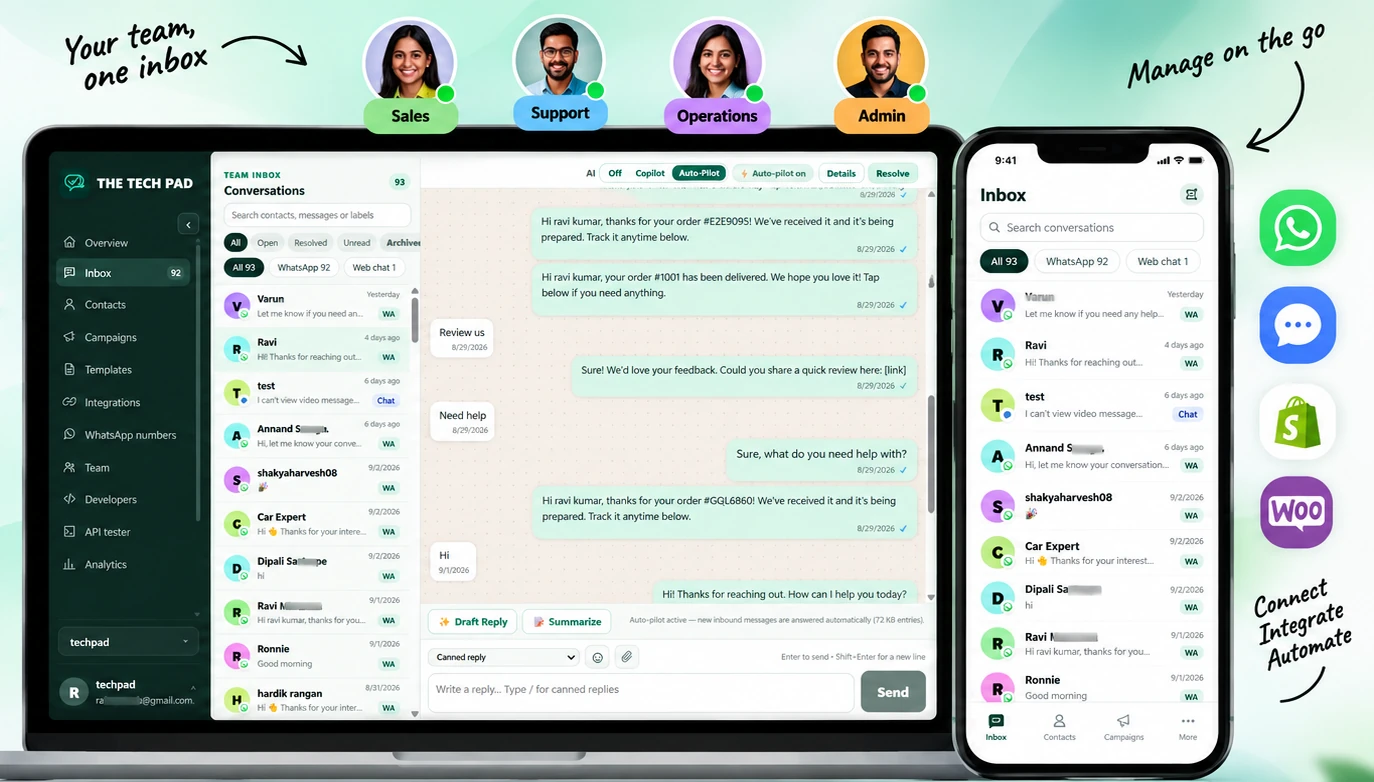
Six capabilities that replace the shared phone: a real team inbox, AI that drafts, campaigns that track, WhatsApp and web chat in one queue, store integrations and reporting your manager will believe.
Assign every conversation to a teammate, see who is online, and hand off cleanly between shifts. Multiple users on one number — no extra SIMs, nobody passing a phone around.
Team seats and plans →Draft context-aware replies from your own knowledge base, summarise a long thread for handoff, or let Auto-Pilot answer on your terms — on the model and keys you choose.
How the AI works →Send Meta-approved templates to saved audiences and watch queued, sent, delivered, read and failed results per message. Start small with the ₹499 Campaign Starter pack.
Campaigns and templates →Your official WhatsApp number and your website chat land in the same inbox with channel tags — one history, one set of assignments and one analytics view, with no extra app for the team to learn.
Free web chat widget →Order confirmations, shipping updates, delivery alerts and abandoned-cart recovery sent on WhatsApp from your own store events — inside the customer-service window.
Store integrations →Delivery, read and failure rates for every message, campaign and template over 7, 30 or 90 days, with CSV export for the monthly review.
Analytics and reporting →No server to run, no Meta paperwork to decode alone — the number, the templates and the team are set up in one sitting.
We provision an official WhatsApp Business API number on Meta's Cloud API — your own number, not a shared line, with templates submitted and tracked for you.
Launch includes 3 team members, Grow 10 and Scale 25. Owner, admin, agent, developer and billing roles are built in, so nobody sees more than they should.
Conversations arrive in one queue. Agents reply, leave notes and internal comments, mention each other, and hand off at shift change — with AI Copilot drafting when the queue spikes.
Five built-in roles, so a seasonal agent can answer customers without ever touching billing or API keys.
Full workspace control.
Manage team, WhatsApp and settings.
Use inbox, contacts and approved replies.
Manage templates, API keys and webhooks.
View plans, invoices and billing.
Scale adds fine-grained permissions, departments and routing, and priority onboarding.
Your forms, store and automations keep working — their messages, orders and bookings land in the same inbox your team answers from.
29 free connectors — forms, bookings, orders and memberships send straight into the inbox.
Browse connectors →Order, shipping and cart-recovery messages fired by real store events.
Shopify setup →Automate anything else: trigger templates and messages from thousands of apps.
Make.com guide →Add the WhatsApp button and inbox to a Wix site without touching code.
Wix app →API keys, webhooks and an in-app tester — 10,000 to 2,000,000 calls a month by plan.
Developer docs →Free AI website chat on the same queue and the same knowledge base as WhatsApp.
Web chat pricing →Yes. The workspace connects one official WhatsApp Business number and every agent works through it — no extra numbers or SIMs, and nobody passes a phone around. The same number handles sales questions and customer support.
WhatsApp and your website chat. Conversations from your official WhatsApp number and the free web chat widget share one queue, one history and the same assignments, notes and agent replies — no extra app for the team to learn.
Yes — assignment, ownership and the sent, delivered and read state of every message are visible in the inbox. Analytics reports volume, response outcomes and failures per template, per campaign and per number.
Only if you let it. Copilot drafts replies for an agent to review, edit and send. Auto-Pilot sends from the knowledge base you feed it, on the settings you choose — and hands back to a human the moment a customer asks for one.
Your first month is free, on every plan. Launch is ₹1,349 a month for the shared team inbox with 3 seats, Grow is ₹3,249 a month adding AI Copilot, Shopify/WooCommerce and advanced analytics, and Scale is ₹9,249 a month with departments, routing and 25 seats. Yearly billing gives two months free, and Meta's messaging charges are billed separately.
In your own workspace, under row-level security. AI provider keys are stored server-side and never shown again to the browser, and outbound templates only leave after Meta approves them.
Start free — your first month is free, on your own WhatsApp number, with your team already inside.
No credit card · First month free on every plan · Free onboarding