Per-template performance
See which templates actually get read and which get ignored, then retire the ones that don’t earn their slot.

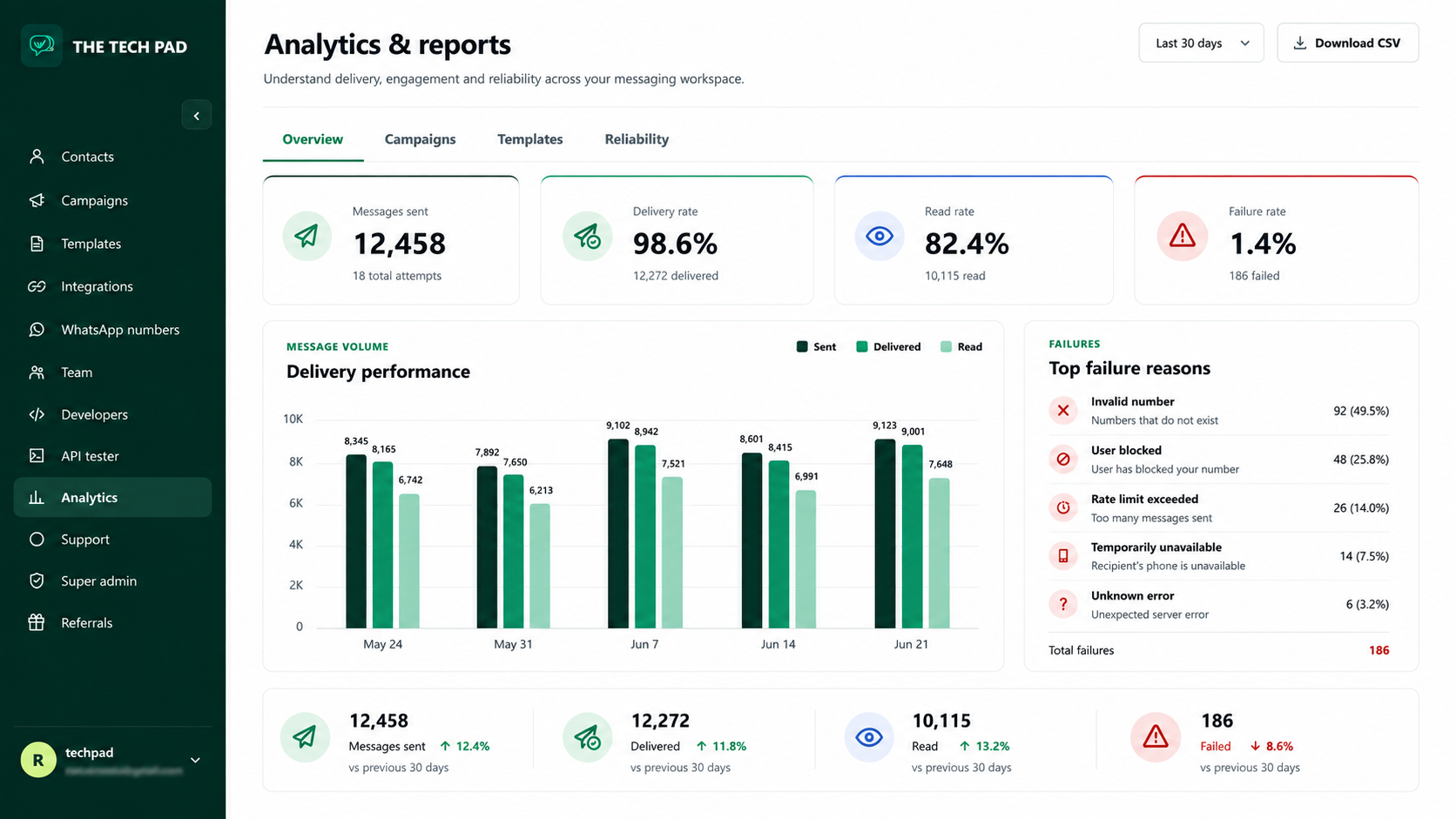
Every message, campaign and template reports back — so you can see exactly which messages customers actually received and read, and where things failed.
See which templates actually get read and which get ignored, then retire the ones that don’t earn their slot.
Failed sends are grouped with their reasons, so a bad number list or an unapproved template shows up immediately.
7, 30 and 90 day views line up with weekly standups and monthly reporting, and everything exports to CSV.
Reporting covers messages, campaigns and templates; the inbox shows per-conversation ownership and state.
Yes — CSV export is available for deeper analysis in a spreadsheet or BI tool.
Start free — your first month is free, on your own WhatsApp number.