Order confirmation
The moment payment completes: order number, items and total, on WhatsApp — the message customers open 90%+ of the time instead of an email nobody reads.

The free WooCommerce plugin that turns order milestones into WhatsApp messages your customers actually open — order confirmation, shipping with tracking, delivery updates, cancellations and abandoned-cart recovery. No code, no developer, and it installs straight from WordPress.org.
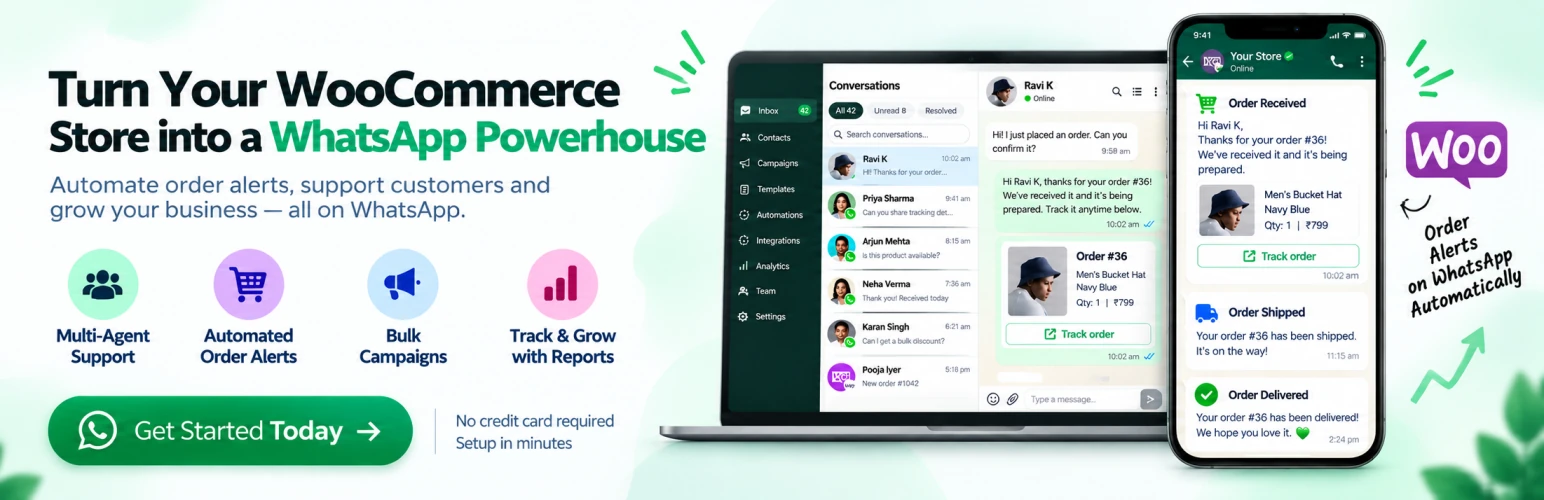
Three screens carry the whole thing: connect the store, map each order event to an approved WhatsApp template, then answer customers in one shared inbox.
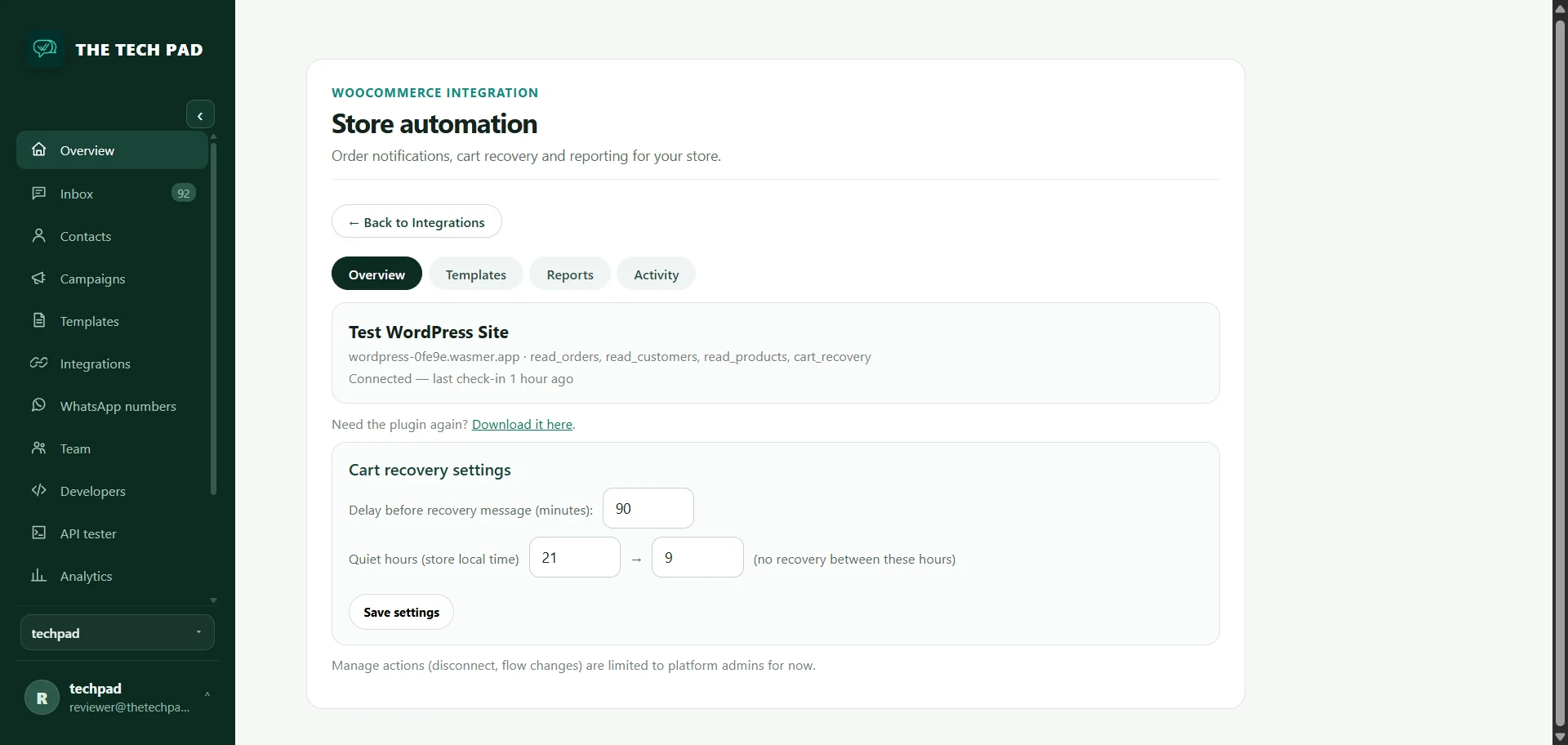
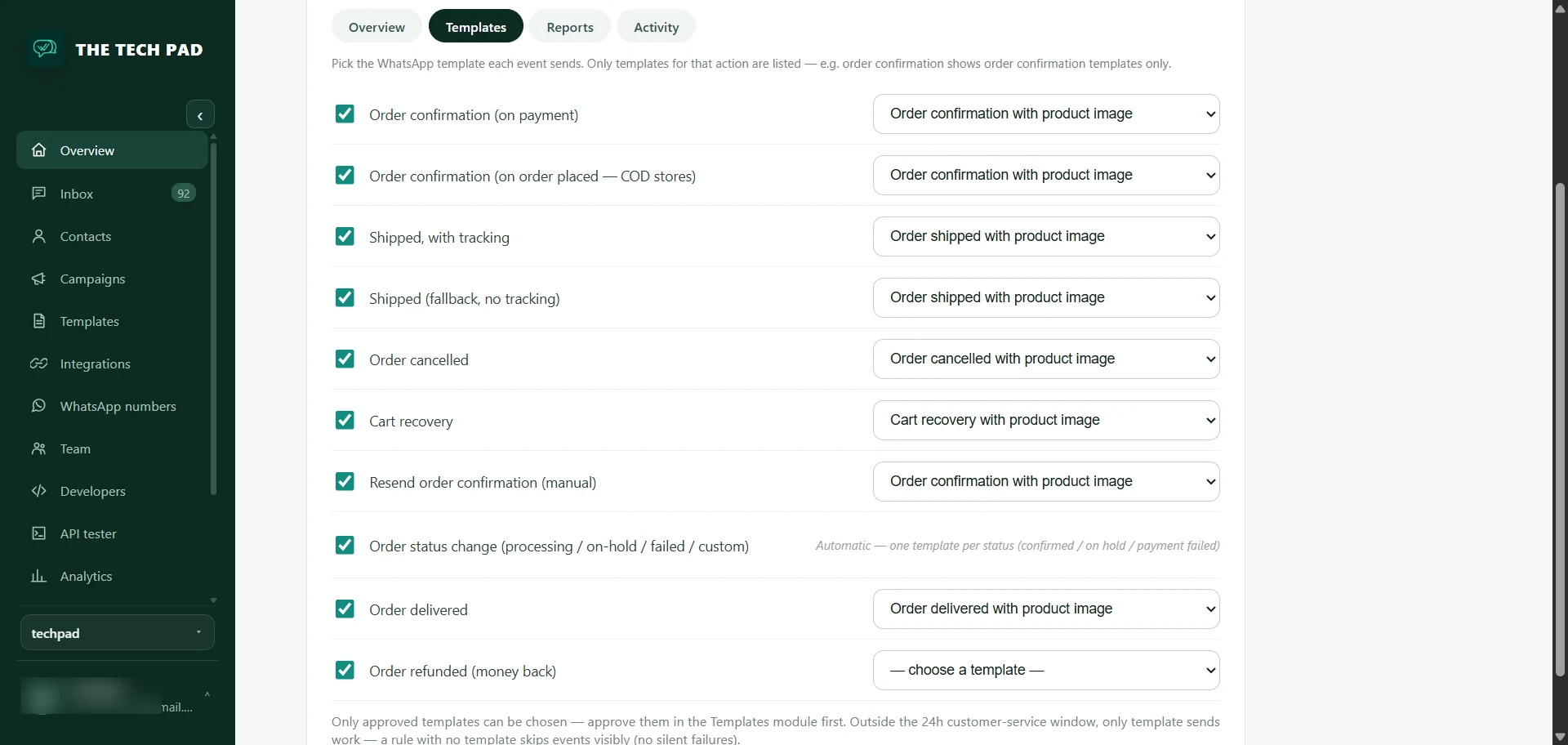
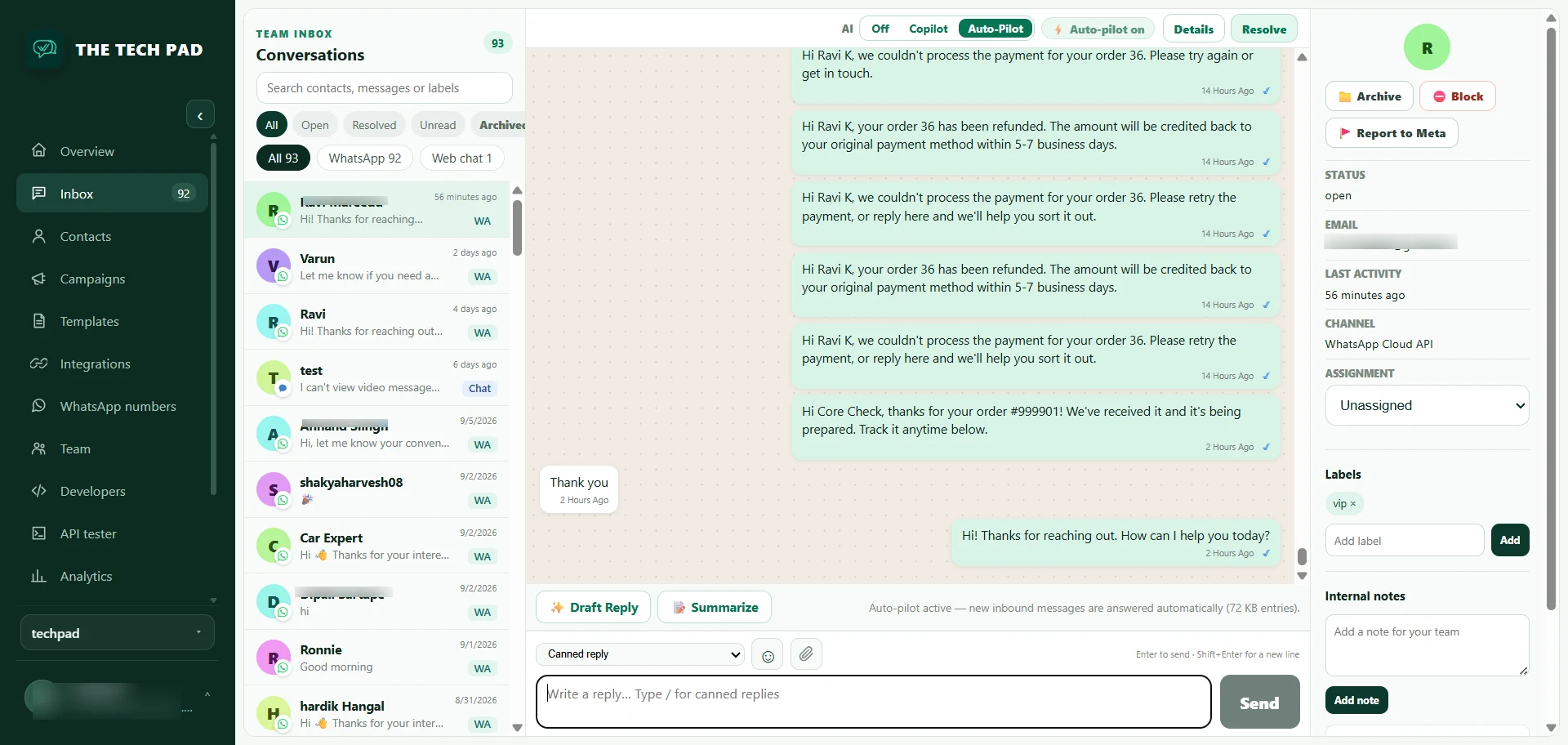
Tap any screenshot to open it full size.
Every message is tied to a real order event in your store — nothing is invented, nothing is guessed.
The moment payment completes: order number, items and total, on WhatsApp — the message customers open 90%+ of the time instead of an email nobody reads.
Works with the official Shipment Tracking plugin, AfterShip and other common tracking plugins. When a tracking number exists, the customer gets a tap-to-track message.
Delivered, processing, on hold — every status change sends its own update, so even an order that moves from cancelled back to processing still reaches the customer.
Keep the customer informed the moment an order is cancelled or refunded, instead of letting them find out at the door — or by raising a chargeback.
COD and other pay-later stores send the confirmation when the order is placed instead of waiting for payment — so the customer hears from you while the order is still being packed.
Every order carries a Resend WhatsApp order confirmation action, for the customer who deleted the first one or wants it on a different number.
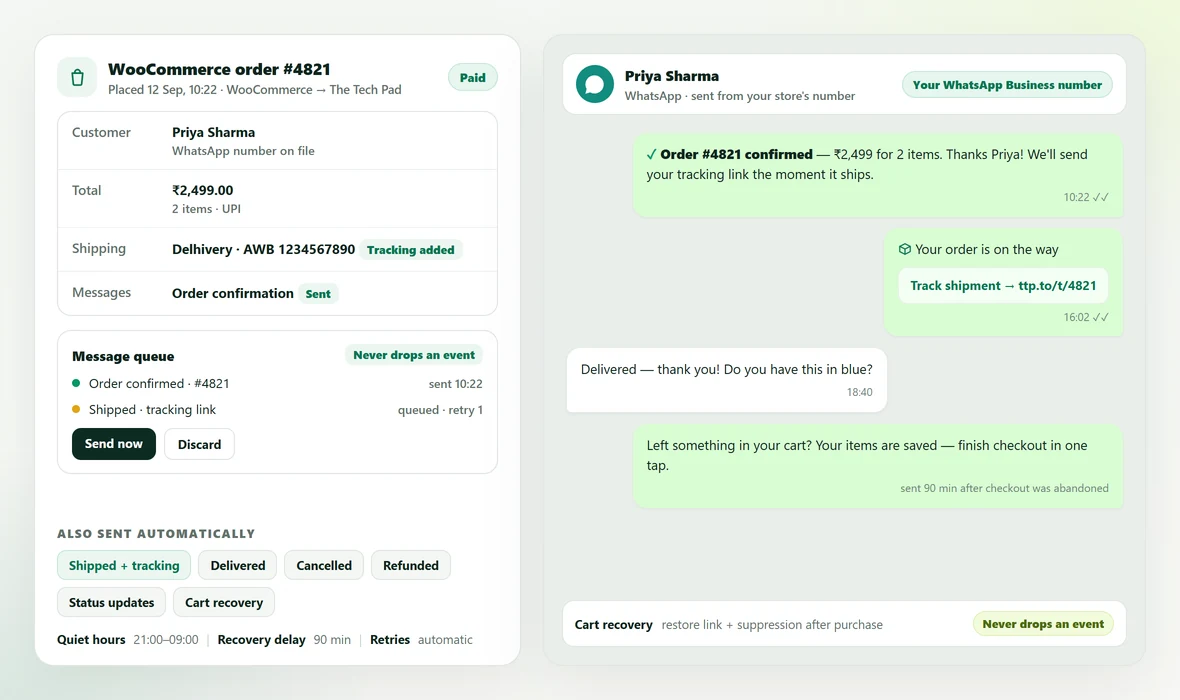
When a shopper leaves items behind, the plugin sends a recovery message with a link that restores their cart and takes them straight back to checkout.
| Recovery delay | 90 minutes by default — change it in the dashboard |
| Quiet hours | 21:00–09:00 by default, per store timezone |
| Restore link | Returns the shopper to their saved cart and checkout |
| After purchase | Recovery suppressed automatically |
| Reporting | Recovery rate, revenue recovered, delivery & read status, failures — in Integrations → WooCommerce |
No developer, no API keys to copy, nothing to configure in your theme.
In wp-admin open Plugins → Add New, search TechPad, click Install Now and then Activate. Prefer the manual route? Download the zip from WordPress.org and upload it under Plugins → Add New → Upload Plugin. WooCommerce has to be active.
In The Tech Pad, open Integrations → WooCommerce and click Request install code. It is 8 characters, works once, and expires after 15 minutes.
Go to WooCommerce → The Tech Pad, paste the code and click Connect store. Your next order arrives on WhatsApp.
Already installed but the store looks disconnected? Open WooCommerce → The Tech Pad — the plugin re-checks with your workspace every time you open that page, so both sides agree on the same state.
A missed order message looks exactly like a working store until a customer complains. These are the failure modes the plugin closes.
If your store is not connected, order events are held in a queue and listed inside WooCommerce → The Tech Pad. They send automatically once you reconnect — or immediately, with Send now.
Queued messages are also retried on ordinary admin page visits. A host where WP-Cron never fires can't be the reason a customer misses an update.
The plugin re-checks with your workspace whenever you open its settings page and once an hour. "Connected" in the dashboard means connected in WordPress — and when one side drops, the other follows.
If your site can't reach The Tech Pad, it stays connected and tells you — instead of half-disconnecting and going quiet.
Every request carries a per-store secret over TLS. A request that isn't signed for your store is rejected by The Tech Pad.
WooCommerce REST API keys are never required. They are only used if you opt in to live order status, and are then encrypted server-side — never stored on your store.
| Version | v1.2.9 — see the WordPress.org listing for the changelog |
| Price | Free — GPLv2 or later, open source |
| WordPress | 6.0 or newer (tested up to 7.1) |
| WooCommerce | 6.0 or newer |
| PHP | 7.4 or newer |
| Order storage | Compatible with HPOS / the new WooCommerce order tables, the cart & checkout blocks, and the product block editor |
| Storefront impact | None — the plugin adds no scripts or styles to your front end |
| Sends from | Your own WhatsApp Business number (Meta), via your The Tech Pad workspace |
| How to get it | Download from WordPress.org · listing · or search "TechPad" in Plugins → Add New |
Yes — the plugin is free and open source (GPL), from this page or WordPress.org. Your The Tech Pad plan covers the WhatsApp messages, templates and automation, and every plan starts free for the first month with no credit card.
From the WordPress.org plugin directory: install it straight from your own site with Plugins → Add New → search "TechPad", or download the zip from the directory and upload it under Plugins → Add New → Upload Plugin. Both routes install the same reviewed plugin.
Your own customer-owned WhatsApp Business number, connected to your workspace through Meta. Nothing is sent from a shared number, and customer replies land in your Tech Pad inbox.
Yes. Cash-on-delivery and other pay-later stores can send the confirmation the moment the order is placed instead of waiting for payment, and every later status change — processing, shipped, delivered, cancelled, refunded — can send its own message. You choose which triggers are on in Integrations → WooCommerce → Templates.
Five: order_confirmation, order_shipped, order_cancelled, order_delivered and cart_recovery. Create them in your workspace's Templates module, then map each order event to one in Integrations → WooCommerce → Templates. Outside the 24-hour customer-service window, WhatsApp requires approved templates.
Only order-level data leaves your store — order id, totals, line items, the billing name, phone and email, shipping country and the tracking number when your tracking plugin provides one — sent over HTTPS and signed with a per-store secret. WooCommerce API keys are only needed if you opt in to live order status, and are then encrypted server-side and never stored on your site. See our Terms and Privacy Policy.
No. The plugin adds no scripts or styles to your storefront; it only listens to WooCommerce order events in the admin and posts them over a signed HTTPS channel.
No — this one sends order notifications and cart-recovery messages. The plugin that answers store visitors with AI (real product cards, order tracking in chat) is separate: Chatalix – AI Sales Chat for WooCommerce.
The order plugin tells customers what happened to their order. Chatalix – AI Sales Chat for WooCommerce answers the questions that come before it — product details, sizing, shipping, order status — with real products from your live catalog.
See the AI chat plugin →Install the free plugin, connect your store in two minutes, and let every order update send itself. Start free — your first month is free, no credit card.
Free GPL plugin · Works with WooCommerce 6.0+ · Messages sent from your own WhatsApp number