
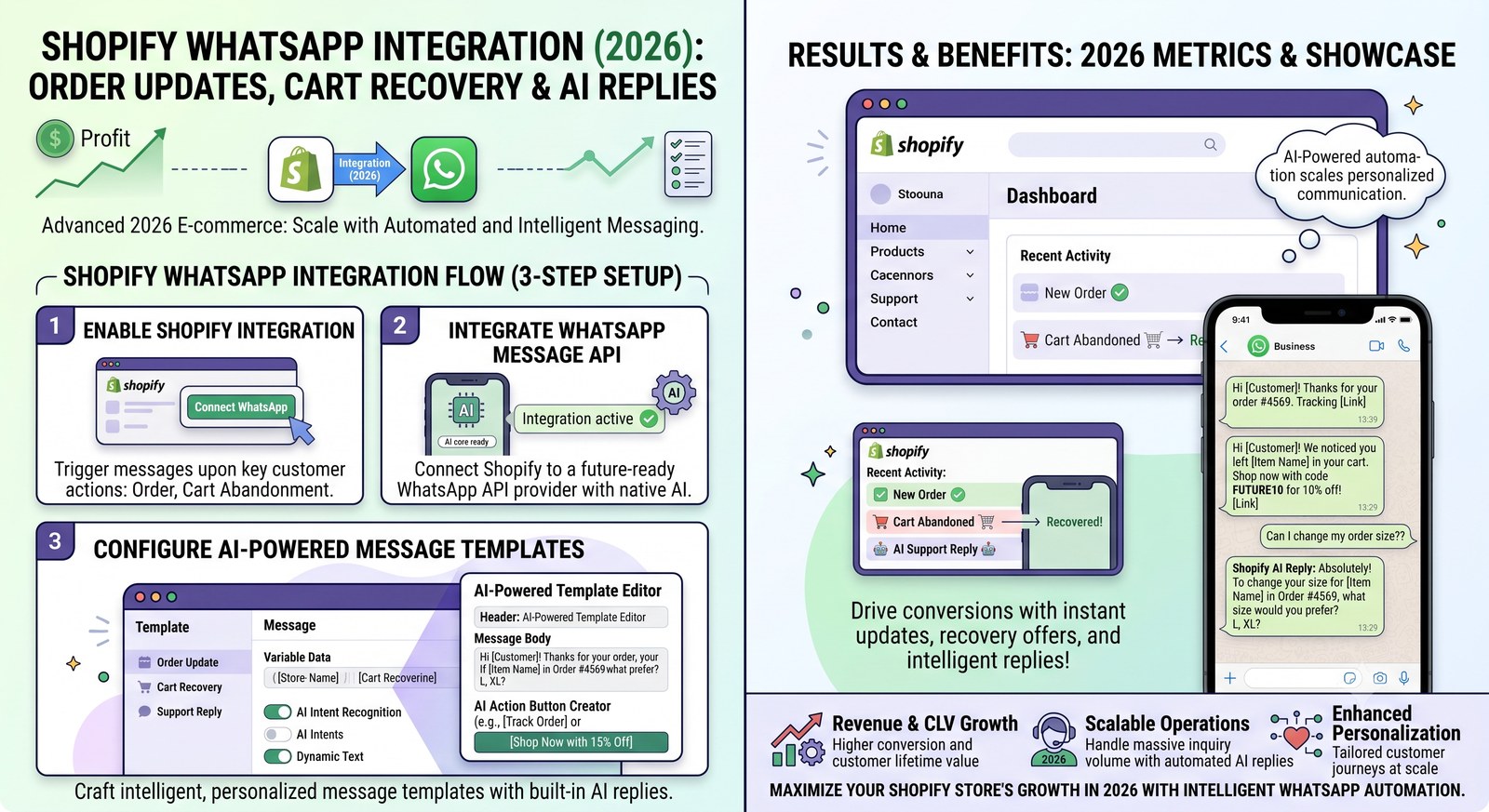
Shopify WhatsApp Integration (2026): Order Updates, Cart Recovery & AI Replies
Your Shopify store sends the order confirmation email. It lands in Promotions, gets buried, and 20 minutes later the customer messages you on WhatsApp anyway. The 2026 fix is to stop treating WhatsApp as a support channel and start treating it as the channel — automated, connected to your store, and answered by AI when your team is busy.
Here's what a Shopify + WhatsApp integration actually does, how to set it up in a day, and the features worth paying for (and the ones you shouldn't).
What the integration does
- Order notifications, automatically. Placed, paid, shipped, delivered, cancelled, refunded — the customer gets a WhatsApp message at each moment that matters, and your support inbox stops filling with "where is my order?".
- Abandoned-cart recovery. A cart left for 6/24/72 hours triggers a WhatsApp nudge with a link back to checkout. WhatsApp recovers 15–30% of abandoned carts versus 2–5% for email.
- COD confirmation. For cash-on-delivery, a pre-dispatch confirm message cuts fake orders and return-to-origin shipments dramatically.
- AI order answers. When a customer asks "where is my order?" outside the automation flow, AI reads your live Shopify data and answers in seconds — status, items, total, tracking.
Setup, step by step
- Pick a platform with a native Shopify connector — one that's included in the plan (more on this below).
- Connect your store — typically OAuth: click Connect, approve, done. No API keys to copy.
- Submit your templates — order_confirmation, order_shipped, cart_recovery, payment_failed. Most platforms offer one-click submission to Meta; approval takes minutes to hours. Use UTILITY category for transactional messages.
- Map events to templates — placed → confirmation, shipped → tracking, cart abandoned → recovery sequence.
- Turn on AI replies — so the thread keeps answering when no automation fits.
The templates every Shopify store needs
| Template | When it fires |
|---|---|
order_confirmation | Order paid / processing |
order_shipped | Tracking added |
order_cancelled | Order cancelled |
cart_recovery | Cart abandoned (6h / 24h / 72h) |
payment_failed | Payment failed |
What to check before you choose a platform
- Is the Shopify connector included? WATI charges a $4.99/month Shopify add-on — without it, no cart recovery or order automation. Platforms like The Tech Pad include it in the base plan.
- Does the AI read live store data? "Where is my order?" answers should come from your actual orders, not a stale knowledge base.
- Seat math — a growing store needs 3–10 agents on the inbox. Check what agent #4 costs (WATI: $24–69/month; The Tech Pad: included by tier).
- Template hub — one-click Meta submission and approval tracking beat copy-pasting into the dashboard.
What it costs
Meta charges per message in India (roughly ₹0.78–0.88 marketing, ₹0.11–0.13 utility, free service inside the 24-hour window) — plus your platform's subscription. For a store sending a few thousand messages a month, all-in costs land at ₹5,000–15,000/month depending on platform and markup.
Ready to connect your Shopify store?
The Tech Pad's Shopify integration ships in the base plan: order flows, cart recovery, COD confirmation, a template hub and AI order answers — from ₹1,349/month. Your first month is free when you start →