
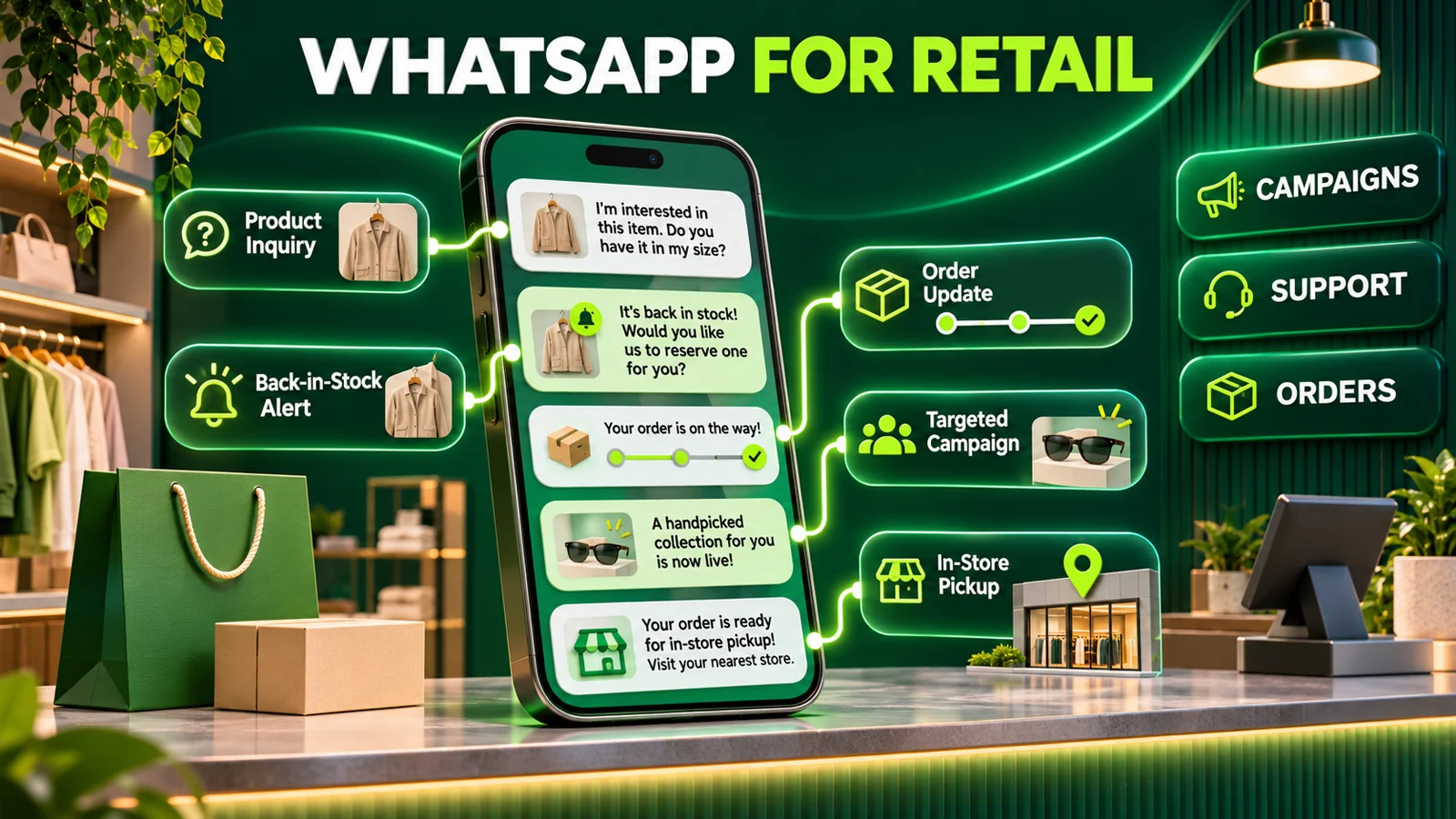
WhatsApp for retail works best when it connects the moments a shopper already needs help: checking availability, finding a size, hearing that an item is back, receiving an order update or arranging store pickup. Campaigns matter, but service and purchase intent should shape the system first.
This guide covers physical stores, e-commerce retailers and multi-branch teams. The WhatsApp for retail industry page shows the product path; the sections below provide the operating plan.
Start with the retail customer journey
Retail conversations usually fall into five groups:
| Journey stage | Customer question | Useful WhatsApp workflow |
|---|---|---|
| Discovery | “Do you have this in blue?” | Product inquiry routed to sales or the right branch |
| Consideration | “Tell me when size M returns.” | Consent-based back-in-stock alert |
| Purchase | “Did my order go through?” | Order confirmation and payment status |
| Fulfilment | “When can I collect it?” | Shipping or pickup-ready update |
| Retention | “What is new this month?” | Segmented campaign for opted-in customers |
Do not begin by importing every past buyer into a broadcast. Begin with the questions and events that already create work for staff, then add permissioned marketing after the service foundation is reliable.
Product inquiries and guided selling
A shopper who asks about colour, size or availability is showing intent. Route that conversation to a team that can see current product information and respond quickly. Use a prefilled WhatsApp link on product pages or QR codes so the first message includes the product or store context.
Useful replies combine a direct answer with the next step: confirm the stock, share the relevant product link, offer the nearest store or reserve the item when policy allows. Avoid sending a whole catalogue when the shopper asked one specific question.
For high-consideration products, let an agent become a personal-shopping contact inside the shared inbox. Keep ownership visible so another agent can cover the conversation during leave or a shift change.
Back-in-stock and price-drop alerts
Back-in-stock messages work because the customer requested information about a specific item. Capture the exact variant, preferred store and permission to send the alert. When inventory returns, send one useful message with the product, availability and action.
Do not keep sending promotions merely because someone asked for one stock alert. Separate service consent and marketing consent in your records. If the customer also opts into launches or offers, store that preference clearly and make it easy to stop promotional messages.
Order, delivery and pickup messages
Order updates reduce “where is my order?” contacts when they are accurate and timed around real status changes.
- Order confirmed: include the order reference and expected next step.
- Payment problem: explain the issue without asking for sensitive card information in chat.
- Shipped: provide the tracking link and carrier where available.
- Ready for pickup: name the branch, hours and what the customer should bring.
- Delayed or changed: say what changed, what the business is doing and how to get help.
Connect WooCommerce, Shopify or the order system to the official WhatsApp Business Platform rather than asking staff to copy updates manually. The automation should use the same order source the operations team trusts.
Campaigns that respect intent
Retail campaigns can announce new arrivals, seasonal collections, local events, loyalty benefits and relevant offers. Their performance depends more on the audience than on decorative copy.
Build segments from genuine customer context:
- Store or service area.
- Product category interest.
- Recent purchase or browsing intent where consent permits its use.
- Loyalty or VIP status.
- Back-in-stock request.
- Language preference.
A Hyderabad-store event should not be sent to every national customer. A women's footwear launch should not be blasted to someone who only opted into appliance service updates. Smaller relevant audiences protect customer trust and messaging quality.
Business-initiated marketing requires valid opt-in and approved templates under WhatsApp rules. Provide a clear opt-out route and honour it across future campaigns, not only inside one spreadsheet.
Shared inbox design for stores and branches
A WhatsApp team inbox prevents store conversations from living on personal phones. Choose a routing model that matches how stock and service are managed.
Central team first
One team handles initial questions, checks the customer location and routes only store-specific work. This creates consistent service and works well when inventory data is centralised.
Branch queue first
The entry point identifies the store, and the conversation lands with that branch. This is useful for local availability and pickup but requires every branch to maintain response coverage.
Specialist queue
High-value categories, repairs, returns or styling consultations can route to specialists regardless of store. Always provide a general fallback when the rule cannot classify the conversation.
Keep one visible history when ownership changes. Customers should not need to repeat the order, product and branch details because the chat moved from sales to support.
A practical retail automation map
| Trigger | Message or action | Human handoff |
|---|---|---|
| Product-page chat click | Open chat with product context | Sales agent answers stock or fit questions |
| Back-in-stock event | Approved alert to opted-in shopper | Agent handles reservation or alternatives |
| Order status change | Utility update with order reference | Support takes delivery exceptions |
| Pickup ready | Branch, hours and collection instructions | Store staff handles reschedule |
| Campaign reply | Route by campaign or product | Sales continues the buying conversation |
| Return or complaint | Acknowledge and collect safe details | Senior support owns resolution |
Automation should move context into the conversation and give the customer a clear action. It should not create a maze that makes an exchange, refund or complaint harder to reach.
Catalogues and product messages
WhatsApp Business Platform supports commerce-oriented message components and catalog experiences where configured. A catalogue can help a shopper browse, but it does not replace the retailer's source of truth for price, stock, tax, checkout and fulfilment.
Keep catalogue items and links synchronised with the store. If live inventory is not reliable, say that availability will be confirmed rather than promising an item that may have sold in-store.
Metrics worth reviewing
Separate campaign, service and order metrics because they answer different questions.
- Campaigns: delivered, read, replies, opt-outs and attributed visits or orders.
- Support: first response, open conversation age, resolution and repeat contact.
- Orders: delivery failures, customer replies and exception volume by status.
- Stores: queue age, handoffs and outcomes by branch or region.
Do not treat read rate as revenue or agent message count as service quality. Connect the report to the action the workflow was meant to produce: a resolved question, collected order, store visit or completed purchase.
A 30-day rollout
Days 1–7: organise the entry points
List every published number, button, QR code and staff phone. Choose the official number and write the ownership and escalation rules.
Days 8–14: launch service workflows
Move product inquiries, order questions and pickup coordination into the shared inbox. Create teams, branch routing and working-hours fallbacks.
Days 15–21: connect events
Add order-status and inventory triggers one at a time. Test real message delivery and exception handling before enabling the next automation.
Days 22–30: run one segmented campaign
Use a small, clearly opted-in audience and one relevant offer or launch. Review replies and opt-outs with the sales outcome, then adjust the segment and message.
Retail mistakes to avoid
- Sending the same promotion to every contact.
- Letting store staff answer from personal numbers.
- Promising stock that the messaging system cannot verify.
- Hiding support behind a long chatbot flow.
- Treating an old purchase as permanent permission for unrelated marketing.
- Running campaigns without a process for replies, opt-outs and delivery failures.
- Measuring clicks while ignoring whether the store completed the request.
Build service first, then scale campaigns
The strongest retail setup is not the one that sends the most messages. It is the one that answers high-intent questions, communicates real order events, preserves consent and gives every conversation a clear owner. Start with the retail workflow page, connect the team inbox, and add campaigns after support and order messaging are dependable.